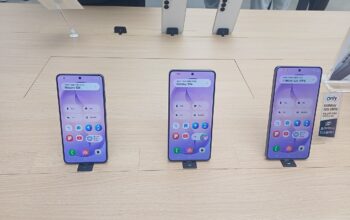
Samsung One UI 9 Update is expected next week, and many Galaxy users are eager to know if their devices will receive it. This update promises several exciting features.
What to Expect from Samsung One UI 9 Update
The upcoming Samsung One UI 9 Update is generating excitement among Galaxy users as it promises several new features and enhancements. Here’s what you can expect:
- Enhanced User Interface: The update is expected to bring a more refined and intuitive interface, making navigation smoother for users.
- Improved Performance: With optimizations at its core, the One UI 9 Update aims to enhance the overall performance of devices, ensuring quicker load times and better battery management.
- New Customization Options: Users can look forward to additional customization features, allowing for greater personalization of their home screens and app layouts.
- Camera Upgrades: Photography enthusiasts will appreciate the anticipated improvements in camera functionalities, which may include new modes and enhanced editing tools.
- Security Enhancements: The update is also expected to bolster security features, providing users with greater peace of mind.
With the Samsung One UI 9 Update expected to roll out next week, users are encouraged to check if their devices are eligible for the upgrade, ensuring they don’t miss out on these exciting new features.
Is Your Galaxy Device on the Update List?
As anticipation builds for the Samsung One UI 9 Update, many Galaxy users are eager to find out if their devices are included in the rollout. Samsung typically provides updates for a range of its devices, but not all models receive every new version. To help you determine if your Galaxy device is on the update list, we’ve compiled a quick guide.
Generally, the following Galaxy series are prioritized:
- Galaxy S Series: The latest flagship models, such as the S23 and S23 Ultra, are usually among the first to receive updates.
- Galaxy Note Series: Devices like the Note 20 and Note 20 Ultra typically follow closely behind.
- Galaxy A Series: Mid-range options like the A54 and A34 may also be included, depending on their release date and specifications.
- Galaxy Z Series: Foldable devices are often prioritized for the latest software enhancements.
For users with older models, it’s advisable to check Samsung’s official website or the settings on your device. The Samsung One UI 9 Update may not be available for all older devices, so staying informed is key.
Key Features of Samsung One UI 9
The Samsung One UI 9 Update introduces a range of exciting features designed to enhance user experience and improve device functionality. Here are some key features that Galaxy users can look forward to:
- Revamped User Interface: The update brings a more streamlined and intuitive user interface that makes navigation easier and more visually appealing.
- Enhanced Privacy Controls: Users will have greater control over their data, with new privacy settings that make it easier to manage permissions for apps.
- Improved Performance: The update optimizes system performance, ensuring smoother multitasking and faster app launches.
- New Customization Options: Galaxy users can expect more themes and personalization settings, allowing for a tailored experience that reflects individual tastes.
- Advanced Camera Features: The camera app will receive updates that enhance photo and video capture, including new modes and settings for better results.
- Updated Home Screen Widgets: Widgets will become more functional and interactive, providing quick access to information at a glance.
These features make the Samsung One UI 9 Update a highly anticipated release for many Galaxy device owners.
How to Prepare for the Update
As the Samsung One UI 9 Update approaches, it’s essential for Galaxy users to prepare adequately to ensure a smooth transition. Here are some steps to help you get ready:
- Check Device Compatibility: Confirm that your Galaxy device is eligible for the update. Refer to the official Samsung website for the latest list of compatible devices.
- Backup Your Data: Before proceeding with any major update, always back up your important data. Use Samsung Cloud or other reliable backup solutions to safeguard your photos, contacts, and app data.
- Free Up Storage Space: The Samsung One UI 9 Update may require significant storage space. Clear out unnecessary apps and files to ensure you have enough room for the new software.
- Update Your Apps: Ensure all your applications are updated to their latest versions. This can prevent compatibility issues post-update.
- Stay Informed: Follow Samsung’s official channels or reliable tech news sources to get the latest information regarding the rollout schedule and any potential issues.
By following these steps, Galaxy users can enjoy all the enhancements and features that the Samsung One UI 9 Update has to offer.
User Feedback on Previous One UI Versions
User feedback on previous One UI versions has been a crucial factor in shaping the upcoming Samsung One UI 9 Update. Many Galaxy users have shared their experiences, highlighting both strengths and areas for improvement.
Among the most appreciated features in earlier versions were:
- Customization Options: Users enjoyed the extensive personalization features that allowed them to tailor their devices to their preferences.
- Enhanced Performance: Many reported smoother transitions and faster app load times, contributing to a more seamless user experience.
- One-Handed Mode: The introduction of this mode was especially praised for making larger devices more manageable.
However, there were also some common concerns expressed by users:
- Battery Drain: Some Galaxy users noted that certain updates led to increased battery consumption.
- Bug Issues: Reports of glitches and bugs following updates were frequently mentioned, prompting calls for more thorough testing before release.
As the Samsung One UI 9 Update approaches, the company is expected to address these concerns while enhancing user satisfaction.
Release Date and Timeline for Samsung One UI 9
The highly anticipated Samsung One UI 9 Update is set to roll out next week, bringing a host of new features and enhancements to Galaxy users. Samsung has been working diligently to ensure a smooth transition for its users, with the update expected to begin on Monday, October 30, 2023.
Here’s a brief timeline of what to expect:
- October 30, 2023: Official rollout begins for flagship models, including the Galaxy S23 and Galaxy Z Fold series.
- November 6, 2023: Updates will start to reach mid-range devices like the Galaxy A series.
- November 13, 2023: Remaining Galaxy devices will receive the update in phases, ensuring all users can take advantage of the new features.
Samsung has emphasized that the update will be delivered gradually, so it may take some time for every device to receive the latest version. Users are encouraged to check their device’s software update settings regularly to ensure they are among the first to experience the benefits of Samsung One UI 9.
Comparing One UI 9 with Previous Versions
The Samsung One UI 9 Update brings several enhancements compared to its predecessors, offering a smoother and more intuitive user experience for Galaxy users. Here are some key differences between One UI 9 and previous versions:
- Design Improvements: One UI 9 features a refined interface with more fluid animations and improved icon designs, making navigation effortless.
- Enhanced Customization: Users can expect greater personalization options, allowing them to tailor their devices to suit individual preferences.
- Performance Boost: The update optimizes system performance, resulting in faster app launches and smoother multitasking capabilities.
- Privacy Features: One UI 9 introduces advanced privacy settings, empowering users to have better control over their data and app permissions.
- Camera Enhancements: With improved camera functionalities, users can enjoy better photography experiences, including new shooting modes and editing tools.
Overall, the Samsung One UI 9 Update represents a significant step forward, building on the strengths of earlier versions while addressing user feedback. As Galaxy users prepare for this update, the comparison with previous versions highlights the evolution of Samsung’s user interface.
Final Thoughts on Samsung One UI 9 Update
In conclusion, the Samsung One UI 9 Update promises to enhance the user experience for Galaxy device owners significantly. With its array of new features and improvements, users can look forward to a more streamlined interface and enhanced functionality. Transitioning to this latest version is expected to bring not only aesthetic updates but also performance enhancements that can make everyday tasks smoother and more efficient.
As we await the official rollout, it is crucial for users to ensure their devices are ready for the update. This includes checking device compatibility, freeing up storage space, and backing up important data to prevent any loss during the update process.
User feedback from previous versions has been generally positive, indicating that Samsung is continuously improving based on its community’s needs. The excitement surrounding the One UI 9 update highlights the brand’s commitment to delivering cutting-edge technology to its users.
Finally, staying informed about the release date and timeline will help Galaxy users prepare for the exciting changes ahead. With One UI 9, Samsung aims to solidify its position in the competitive smartphone market by providing an experience that is not just functional but also enjoyable.
References
Related stories
Screen-Free AI Device: Is It the Best Tech Innovation Yet? · Is Samsung Galaxy S27 Ultra the Best Smartphone of 2023? · AI policy Goa: Best Proven Strategy for Graduate Training